
myUplink puts comfort in your hands
With the myUplink app, you have a clear view of your NIBE heat pump and control of heating and hot water from your phone. Check how things are running at home and make adjustments whenever your plans change.
Built to keep getting better
Your heat pump is built for years of everyday life. Through regular software updates, we refine how it works and introduce new functions as energy systems and connected homes evolve. It’s how we keep improving the technology behind your comfort and efficient energy use, long after installation.
Heating and indoor climate
Adjust the heating to suit your home and see indoor temperature readings from connected sensors. If your home has several climate zones, adjust the settings for each one.
Hot water
Choose a setting for your household’s everyday needs. Activate a temporary hot water boost when you have guests or need more than usual.
System information and support
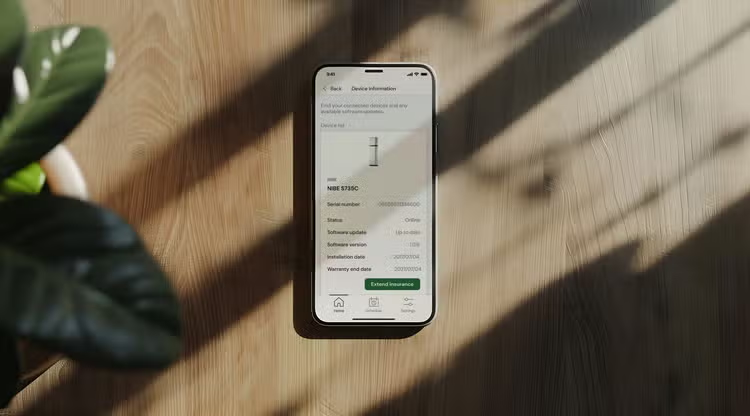
Find notifications, software information and your heat pump’s model and serial number in one place. Keep the details you need ready for a conversation with support or your installer.
Part of NIBE Sense
NIBE Sense brings together the intelligent functions and services that adapt your NIBE system to your home, its needs and the world around you. myUplink is part of Sense, its remote control, giving you an overview of your connected system and access to its settings.
Stay connected to your heat pump
Notifications let you know when your heat pump needs attention, keeping you informed even while you’re away. Your connected system also receives software updates with improvements and new functions as they become available.
Get started with myUplink
myUplink supports NIBE S-series products and F-series products equipped with a network connection. To connect an S-series system, follow the steps below.
-
Connect your system to the internet
Make sure your NIBE system has a stable internet connection. You’ll find connection instructions in its user manual -
Download the app
Download myUplink and create an account, or sign in if you already have one. -
Add your system
Follow the instructions in the app to find and pair your NIBE system with your account
Download to your device


Explore the everyday features in myUplink
Learn how to navigate myUplink and use the key features available for everyday control. Adjust temperature and hot water, manage schedules and notifications, check system status and follow updates. The guide also shows how to switch between connected locations and find useful information about your NIBE heat pump.
You can also follow software updates and see current operating information directly in the app.
Get more out of your system with myUplink Premium
myUplink Premium brings detailed system history and extended access to settings together in one subscription. Follow changes over time and compare several operating parameters at once. Access your heat pump’s menus remotely to adjust settings beyond the everyday controls in the app.
For NIBE F-series systems, myUplink Premium also includes scheduling and holiday settings.